See every job in one live table
Sync related ServiceM8 jobs into one live table so your team can track progress, key dates, statuses, forms, documents and processing steps without opening every job one by one.
Built for high-volume ServiceM8 workflows
Track related jobs, monitor forms, update statuses, and generate documents in bulk using the data already captured in ServiceM8.
Turn hours of documentation into minutes.
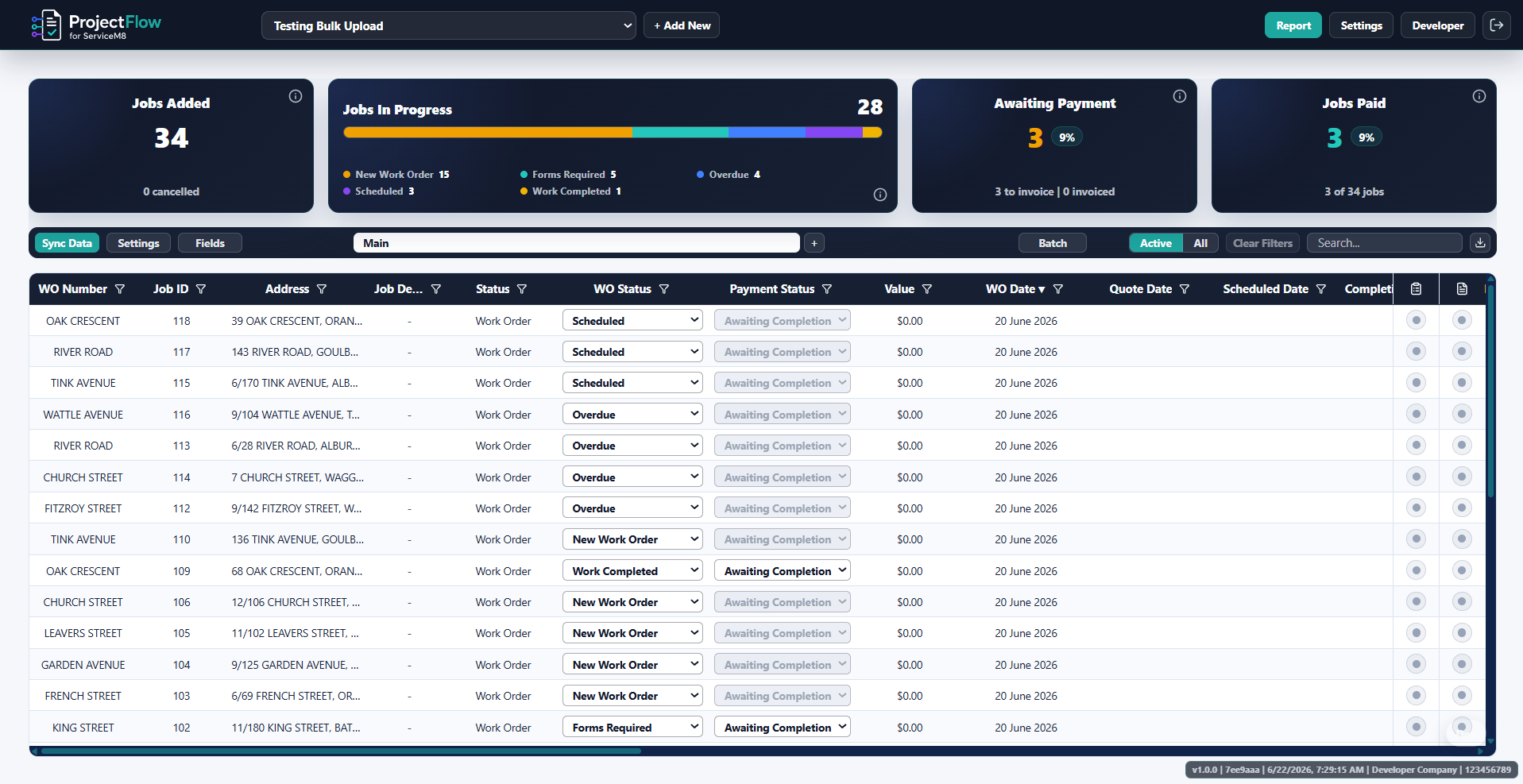
A live work order table connected to ServiceM8, showing job status, form completion, document generation and processing information in one place.
The problem
When high-volume work scales up, admin teams often end up:
The solution
Sync related ServiceM8 jobs into one live table so your team can track progress, key dates, statuses, forms, documents and processing steps without opening every job one by one.
See which jobs are missing forms, photos, signatures or completion details, and quickly review completed forms without opening every job one by one.
Use job, client, site and form response data already captured in ServiceM8 to generate certificates, reports, completion documents or handover packs. Automatically. In bulk.
Live table
Sync related jobs from ServiceM8, group them by custom field, client or category, then manage the whole group from one live spreadsheet-style table.
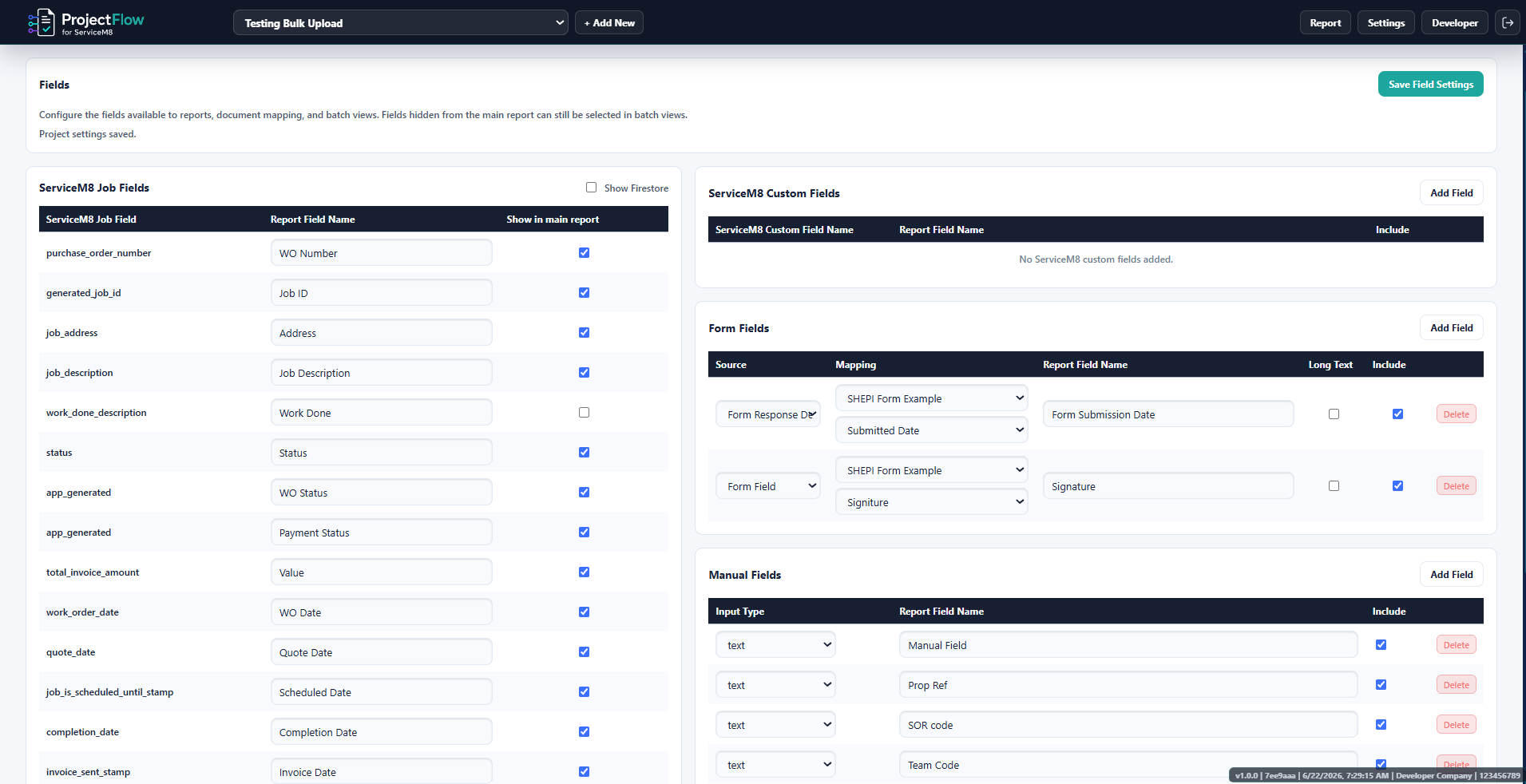
Stop updating manual spreadsheets. Get REAL clarity on your projects
Custom Status Workflows
High-volume work often has extra admin steps around forms, photos, documents, invoicing and handover. ProjectFlow lets you track those steps from the live table, using either your own ProjectFlow workflow fields or the ServiceM8 fields you already use.
Document automation
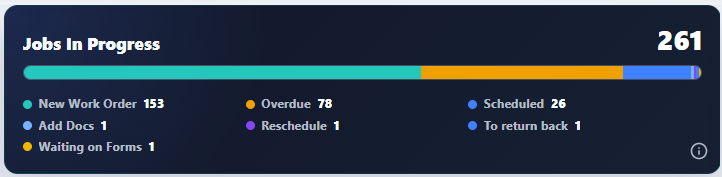
Stop copying the same job, client and form information into certificates, reports and completion documents. ProjectFlow can generate documents one at a time or in bulk using the data already captured on your ServiceM8 jobs.
Use ServiceM8 data to populate documents, including:
Save hours by generating completed documents from the data already captured on each job.
Upload an existing PDF template or connect a Google Doc template your team already uses for certificates, reports or completion documents.
Map ServiceM8 job, client, site, custom field and form response data into the areas of the document where that information needs to appear.
Generate documents individually or in bulk, then save them back to the ServiceM8 job or into Google Drive where needed.
Form tracking
ProjectFlow brings ServiceM8 form completion and response data into the live table, so admin can quickly see what is required, what is missing, and what has been reviewed.
Set which ServiceM8 forms are required for the job group and see which jobs have them completed, missing or still outstanding.
Review completed form responses, sign-offs, photos and inspection answers, then mark them as checked or flag them for follow-up.
View completed form responses across all jobs in a table format, so you can scan every response without opening each job or form one by one.

One connected workflow
ProjectFlow brings the office workflow around high-volume ServiceM8 jobs into one connected process.
Sync existing ServiceM8 jobs or upload new work orders from a spreadsheet.
See related jobs, dates, statuses, forms, documents and processing steps in one place.
Identify which jobs are missing forms, photos, signatures or completion details.
Create certificates, reports, completion documents or handover packs from job and form data.
Group completed jobs for invoicing, client reporting, provider processing or CSV export.
Bulk upload
Upload a spreadsheet of work orders, map the columns to ServiceM8 fields, and create the jobs without entering them one by one.
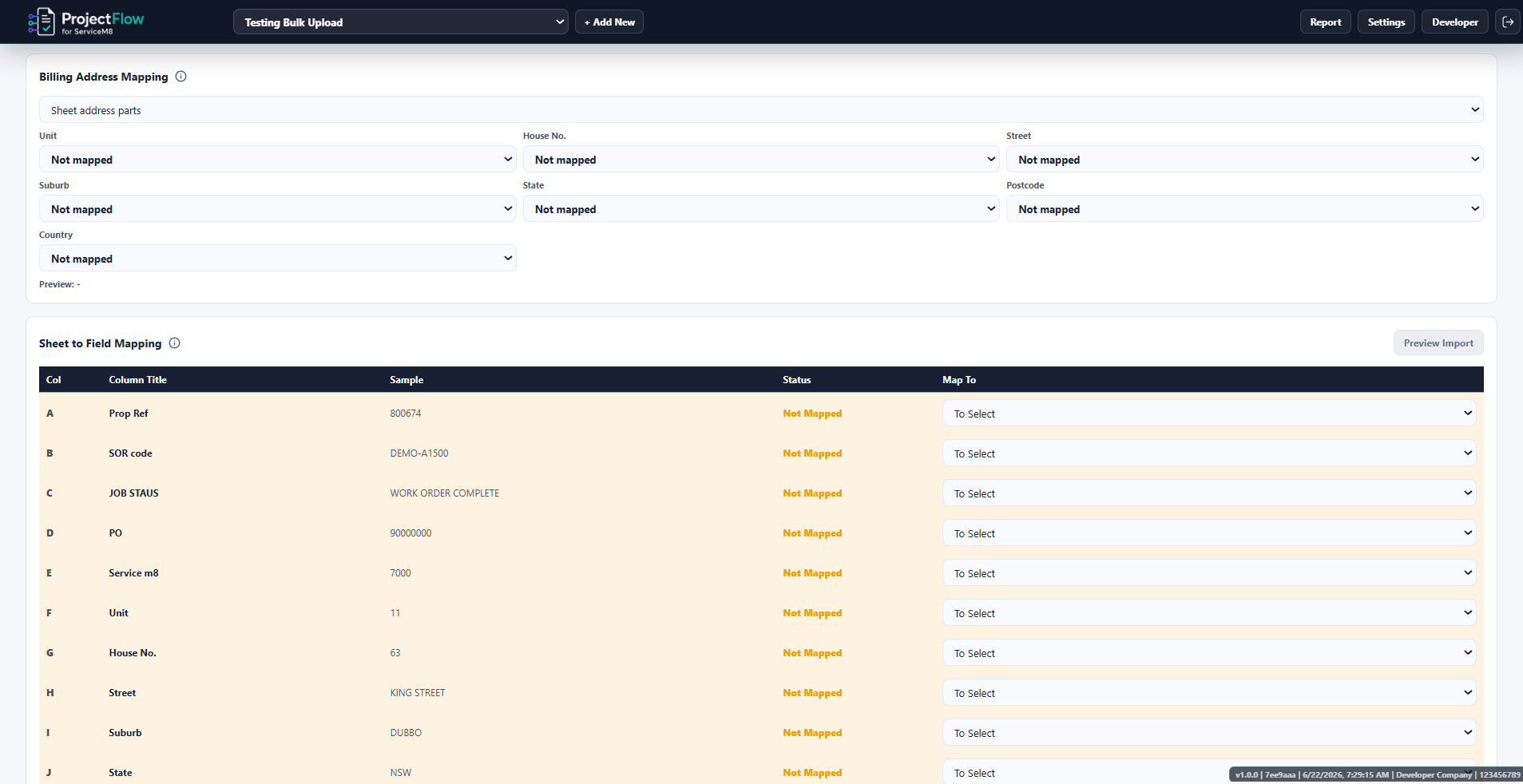
Stop wasting hours adding jobs one at a time.
Batching and exports
High-volume work often needs completed jobs grouped for provider processing, portal uploads, client reporting, invoicing or internal handover.
ProjectFlow helps your team define what makes a job ready to batch, see which jobs are ready, create batches, view those batches from the live table, and export clean CSV files for the next step.
Who it's for
ProjectFlow suits businesses managing large groups of related jobs where forms, documents, reporting or processing steps are part of the workflow.
Plans
Start with live job tracking, then add form review, document automation, bulk upload and batching as your workflow grows.
For teams that need one live table to track related ServiceM8 jobs.
Book a demoFor teams managing forms, statuses, documents and batch processing.
Book a demoFor high-volume workflows with bulk uploads, advanced document needs and priority support.
Talk to us| Feature | Starter | Professional | Scale |
|---|---|---|---|
| ServiceM8 job sync | ✓ | ✓ | ✓ |
| Live job table | ✓ | ✓ | ✓ |
| Group jobs by custom field, client or category | ✓ | ✓ | ✓ |
| Custom columns and table views | ✓ | ✓ | ✓ |
| Live job totals / KPIs | ✓ | ✓ | ✓ |
| Custom workflow statuses | Limited | ✓ | ✓ |
| Use ServiceM8 statuses or custom fields | ✓ | ✓ | ✓ |
| Requirements by status | — | ✓ | ✓ |
| Required form tracking | — | ✓ | ✓ |
| Review and mark off forms | — | ✓ | ✓ |
| Form response table | — | ✓ | ✓ |
| PDF / Google Doc template mapping | — | ✓ | ✓ |
| Bulk document generation | — | ✓ | ✓ |
| Dynamic PDF generation | — | Optional | ✓ |
| Save documents back to ServiceM8 | — | ✓ | ✓ |
| Google Drive saving | — | ✓ | ✓ |
| Bulk job upload from spreadsheet | — | Optional add-on | ✓ |
| Site creation / assignment during upload | — | Optional add-on | ✓ |
| Batch requirements | — | ✓ | ✓ |
| Batch creation and tracking | — | ✓ | ✓ |
| CSV exports | ✓ | ✓ | ✓ |
| Standard support | ✓ | ✓ | ✓ |
| Priority support / setup help | — | Optional | ✓ |
Ready to simplify the admin?
ProjectFlow helps ServiceM8 businesses manage high-volume job groups from one live table, then turn the job and form data already captured in ServiceM8 into documents, batches and exports.